How to Make a QR Code for a Google Form That Works
A worksheet is going to the print shop this afternoon and it needs a code that opens a Google Form. The generating part takes thirty seconds. The part that wastes a print run is copying the wrong link, because Google Forms hands out four addresses that look almost the same and only one of them belongs on paper.
Get the response link, not the address bar
The whole of how to make a QR code for a Google Form is three steps: copy the link the Send panel gives you, paste it into a generator, print it big enough for the distance people stand at. Step one is where it goes wrong.
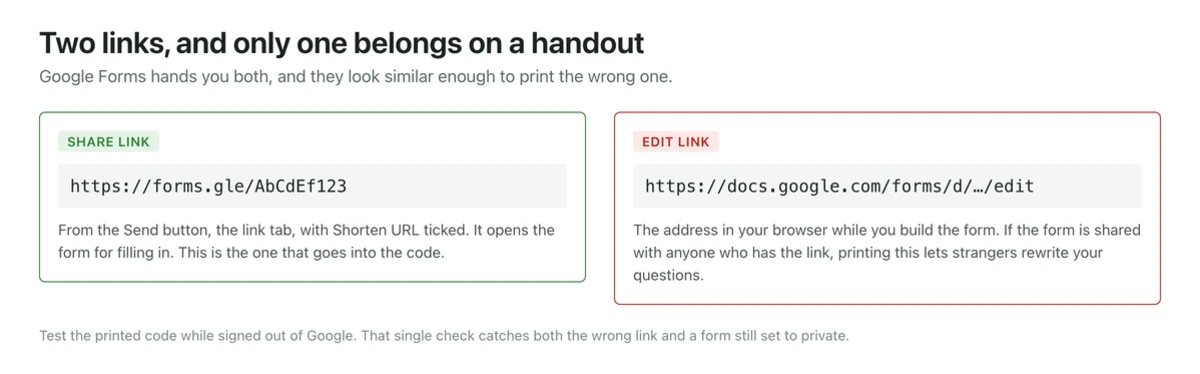
Open your form in the editor and click Send at the top right. In the panel that opens, choose the link tab, the one with the chain icon. That address is what respondents need. Tick Shorten URL before copying and you get a forms.gle link instead of the long docs.google.com one.
The shorter link is worth taking. A QR code holds up to 4296 alphanumeric characters, so length is never a capacity problem, but every extra character adds modules to the grid, and a denser grid needs a bigger print or a closer scan. A forms.gle link produces a visibly coarser, friendlier code than the full URL.
What is in your browser address bar while you are building the form is not that link. It ends in /edit, and it is the one people print by accident.
The four links, and what each one does when scanned
| Link | Looks like | What a scan does |
|---|---|---|
| Response link | docs.google.com/forms/d/e/…/viewform | Opens the form ready to fill in. This is the one to print. |
| Short link | forms.gle/… | Same thing, shorter, so a cleaner code. Also fine to print. |
| Edit link | docs.google.com/forms/d/…/edit | Opens the form builder. Anyone with edit access can rewrite your questions. |
| Prefilled link | …viewform?usp=pp_url&entry… | Opens the form with answers already filled. Useful per class or per table, long and dense. |
The edit link is the dangerous one. On its own it is not an open door, because Google still checks whether the scanner has edit access. It becomes an open door the moment the form has been shared for editing with anyone who has the link, which people do all the time so a colleague can help without a permission request. Print that code on 200 feedback cards and any one of them can delete your questions or read every response submitted so far. Before printing, scan your own proof in a private browser window where you are signed out. If you see the form builder, or a request-access screen, you copied the wrong address.
Turn the link into a code
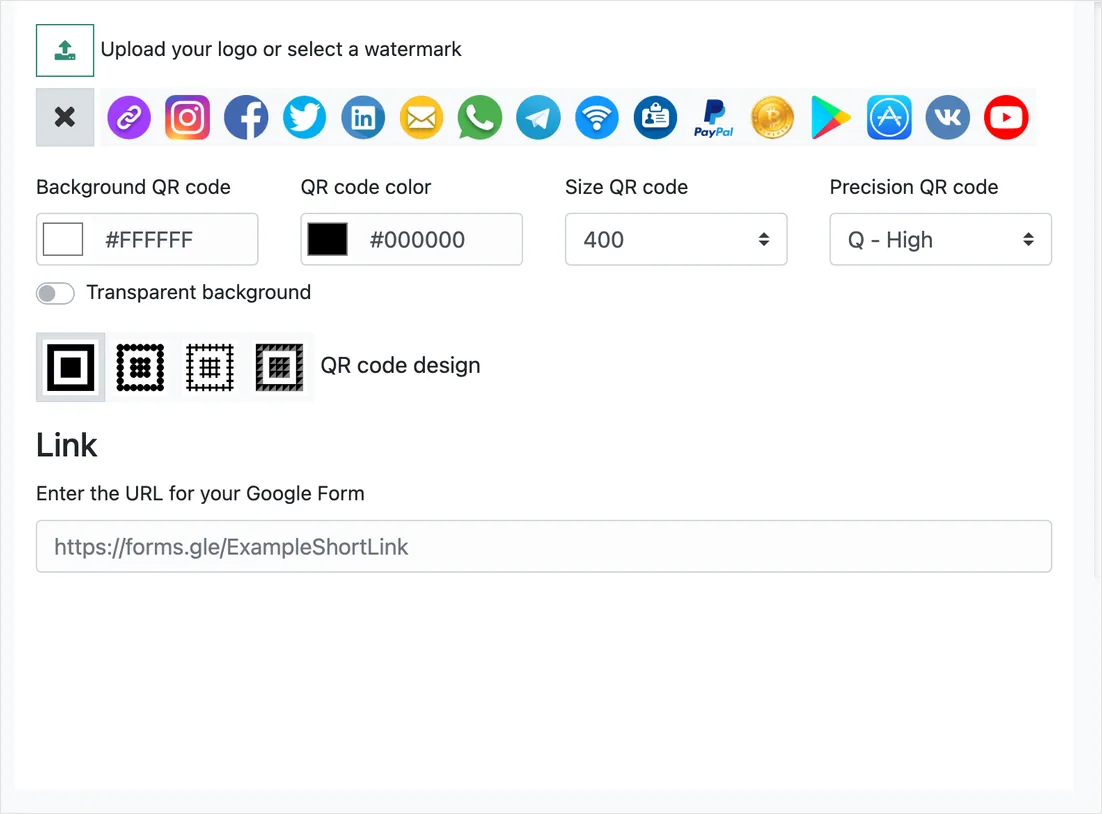
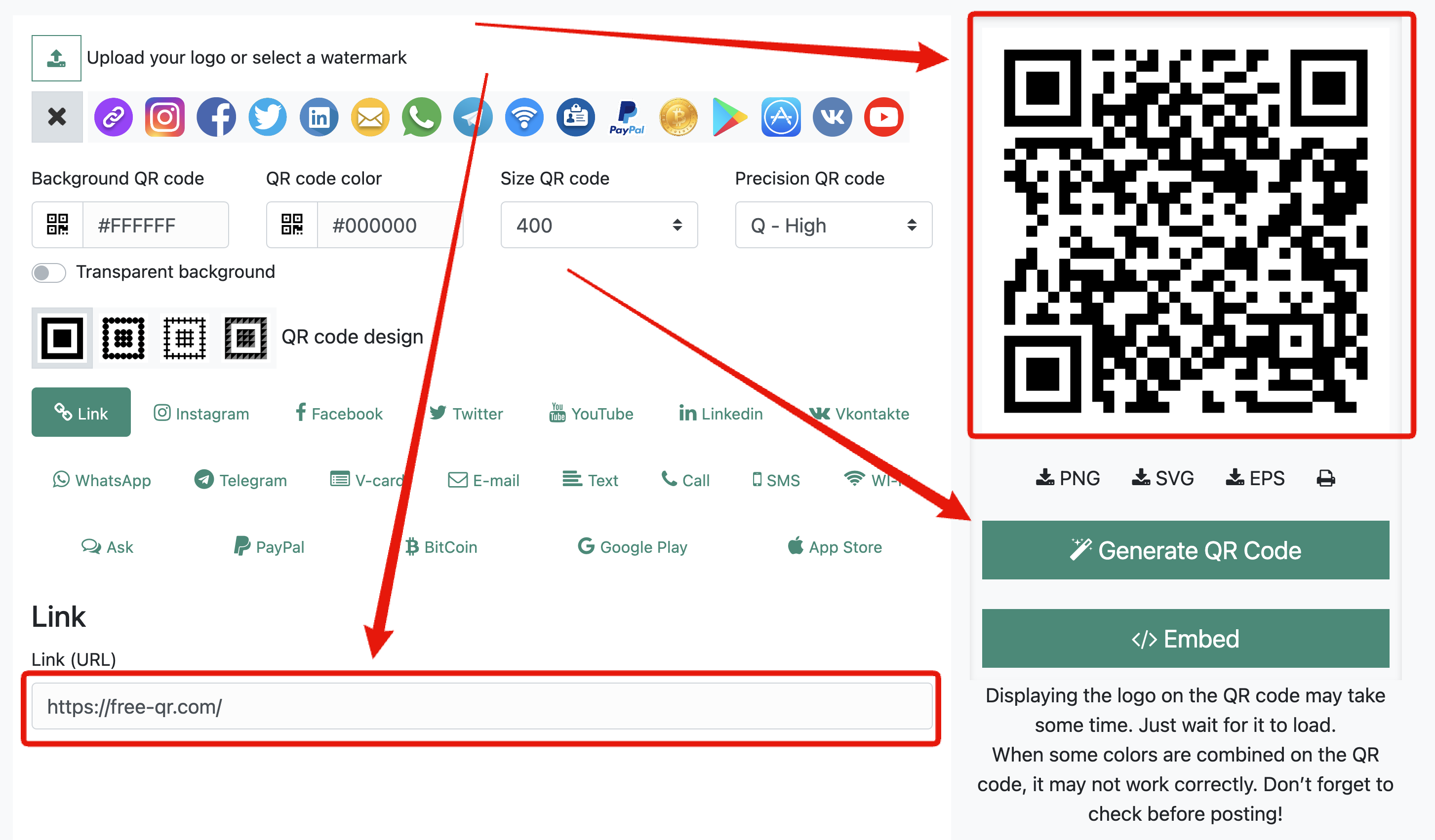
Paste the response link into the Google Form QR code generator. It is free, no account, no watermark, no expiry and no scan limit. Then set it up for paper rather than for a screen:
- Download SVG or EPS if the file is going to a print shop or into a layout, PNG only if it is going straight into a slide. Vector survives resizing, and the format comparison covers which to hand over where.
- Size it by distance: scan distance divided by ten. A code on a worksheet on a desk is scanned from about 30 cm, so 3 cm is plenty. A poster on a classroom wall read from three meters needs 30 cm. Below roughly 2 cm nothing reliable happens at arm’s length.
- Keep it dark on light, with the four-module quiet zone around it intact. That clear border is part of the code, not decoration, and layout software crops it constantly.
- Error correction is preselected at Q, which tolerates roughly a quarter of the grid being unreadable, so a small logo in the middle is safe and a fingerprint of glue is survivable.
After generating, the site checks in your browser that the code reads back, which catches a broken paste. That is not the same as testing the print, so still scan the physical proof before the run. The printing checklist has the rest of what goes wrong on paper.
Will people have to sign in?
This is the setting that quietly ruins classroom and event handouts, and it lives in the Settings tab of the form editor, under Responses.
- Collect email addresses set to Verified forces every respondent to sign in to a Google account. Set to Responder input, they type an address themselves and no sign-in happens.
- Limit to 1 response requires sign-in as well, because Google has to know who answered. Convenient for a vote, fatal for a public feedback card.
- On a Workspace or school account there is usually a restriction to users inside the organization, sometimes with trusted organizations included. Leave it on and a parent, a visitor or anyone with a personal Gmail address hits a permission screen instead of your form.
Decide this before printing, because the code cannot tell you it failed. The respondent just sees a request-access page and gives up quietly.
iPhone and Android open it differently
iPhone
Camera reads the code since iOS 11: point it, tap the banner. The form opens in Safari, using whichever Google account is signed in there. On a school iPad that is often nobody, so a form set to Verified email collection shows a sign-in wall. A student who is signed into a personal account on the iPad submits from that account instead of the school one, which is how attendance sheets end up with three entries from the same person under different names.
Android
Android 9 and later scans from the stock camera, though several manufacturers ship the feature switched off in the camera app’s own settings. Older phones use Google Lens. The link opens in Chrome, signed into the device’s Google account, which on a managed school device is the school account and on a personal phone is the owner’s. If the form is restricted to your organization, a personal Android phone will refuse it, and the respondent will insist the code is broken. It is not, it is doing what you configured.
What goes wrong after the paper is out the door
A printed code is a promise about an address that lives on somebody else’s server. The address does not move, but the thing behind it does.
- Responses closed. Toggling Accepting responses off in the Responses tab leaves the URL working and shows a message saying the form is no longer accepting responses. Every printed code is now decoration.
- New version each term. Duplicating last year’s form makes a new form with a new link. The old code keeps pointing at the old form, and the responses land in the old spreadsheet, which somebody discovers in March.
- Deleted or moved to another Drive. If the owner leaves the organization and their Drive is cleared, the form goes with them. The code then shows a not-found page.
- Access narrowed later. Someone tightens the sharing to fix a spam problem, and the public handout stops working the same hour.
The fix for all four is the same: do not point the print at the form directly. Generate an editable QR code, print that once, and change where it goes whenever the form is replaced or closed. The important detail is that the ID and password are shown a single time at creation. Copy them into wherever your team keeps such things before you close the tab, because without them the code is stuck pointing where it points.
The trade is honest: an editable code adds a redirect hop, and if the redirect service ever disappears the code dies, whereas a static code pointing at forms.gle depends only on Google. For a one-off event handout, static is fine. For a code printed on laminated table tents, a classroom wall, or anything that will outlive the current form, editable pays for itself the first time the form changes.
Questions people actually ask
Can I make a QR code for a Google Form without an add-on?
Yes. Forms does not generate codes itself, and no add-on is required. Copy the response link, paste it into the generator, download the file.
Does the forms.gle short link ever expire?
It stays valid as long as the form exists and remains shared. Deleting the form or restricting access kills it, the same as any other link to it.
How do I see which handout or class a response came from?
Make a separate prefilled link for each group, with a hidden question answered in advance, and generate one code per link. The answers then arrive tagged in the spreadsheet. It also means one code per group to test.
Can I count scans?
Not with a static code, which sends the phone straight to Google with nothing in between. An editable code records scan counts. Note that scans and submissions are different numbers, and the gap between them tells you how many people opened the form and walked away.
I printed the wrong link. Is there any way to fix it without reprinting?
Only if the printed code was an editable one, in which case you repoint it. A static code is permanent ink. If you printed an edit link, go into the form’s sharing settings and remove general edit access immediately, since that matters more than the wasted paper.



Comments are closed.