What Is a QR Code? How the Black and White Grid Works
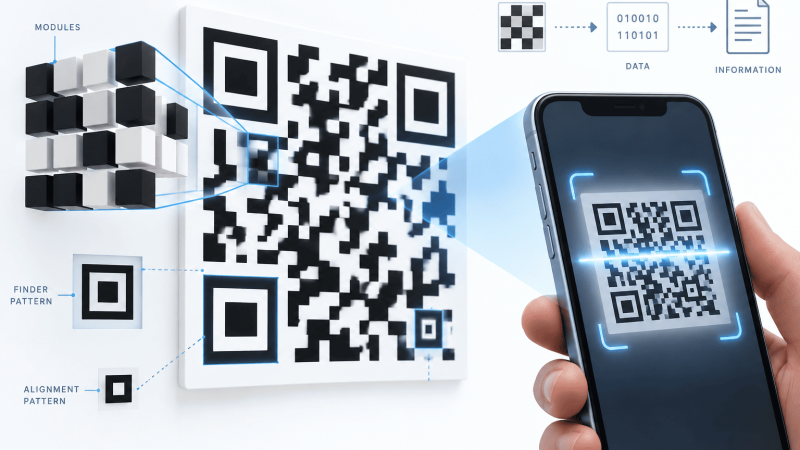
You point a phone at a square of black and white speckle on a poster, a menu, or a parcel label, and a second later a website opens. That square is a QR code: a two-dimensional barcode that stores text in a grid instead of a row of stripes. Everything it knows is printed on its face.
What is a QR code, in one paragraph
A QR code is a grid of black and white squares, called modules, that encodes a short string of text. Most of the time that text is a web address. A scanner reads the grid, rebuilds the string, and hands it to the phone, which decides what to do with it. No chip in the paper, no radio, no connection back to anyone. A printed QR code is text a camera can read.
Denso Wave, a Toyota group supplier, published the format in 1994 to track car parts on a production line, where an ordinary barcode held too little and had to be lined up too carefully. QR stands for Quick Response. The parts of the pattern that look decorative are all doing a job for the scanner.
What is actually in the grid
The smallest code is 21 modules across, the largest 177. The standard defines 40 of these sizes, called versions, and a generator picks the smallest one your text fits into. The modules are not a picture of your text in any readable sense: the characters become binary, get chopped into codewords, spread around the grid in a zigzag starting at the bottom right, then flipped against one of eight mask patterns so the finished code has no large blank areas to confuse a camera.
The three big squares
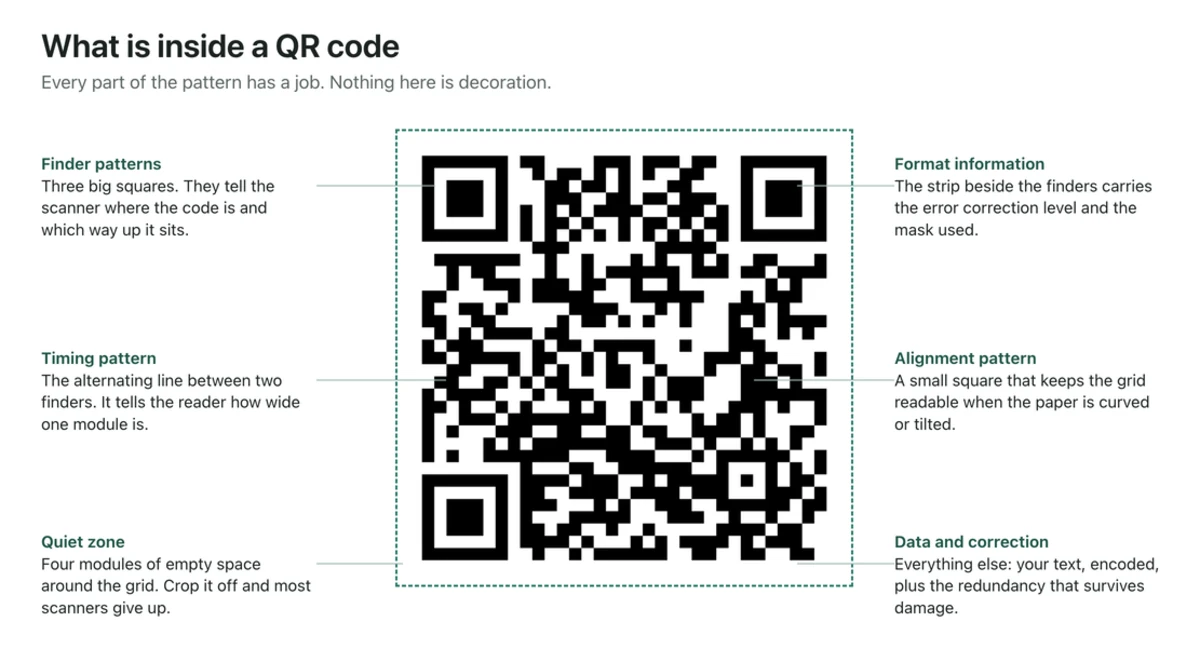
Three corners carry a large square inside a ring, called a finder pattern. A scanner sweeps lines across the image looking for the dark-light-dark run in the ratio 1:1:3:1:1, which is rare in ordinary photographs. Finding three of them tells the software where the code is, how big it is, and which way up it sits. There are three rather than four on purpose: the empty fourth corner makes the rotation unambiguous, which is why a code scans upside down.
From version 2 upward a smaller square sits near that fourth corner, the alignment pattern, and larger codes carry several. They let the decoder correct for a bent menu or a curved bottle label.
The dotted lines and the strip around the corners
Between the finder patterns run single rows of alternating dark and light modules. That is the timing pattern, and it tells the decoder the exact width of one module so it can lay a grid over the image. Wrapped around the finders is a short strip of format information stating which error correction level and which mask were used. That strip is protected too, because a decoder that misreads it can read nothing else.
The quiet zone
The blank margin around the code is part of the code. The specification asks for four modules of clear space on all four sides. Crop into it, run text up to the edge, or drop the code onto a busy photograph, and scanners hesitate or fail outright. It is the single most common thing designers get wrong.
Error correction, and why a sticker over the corner still works
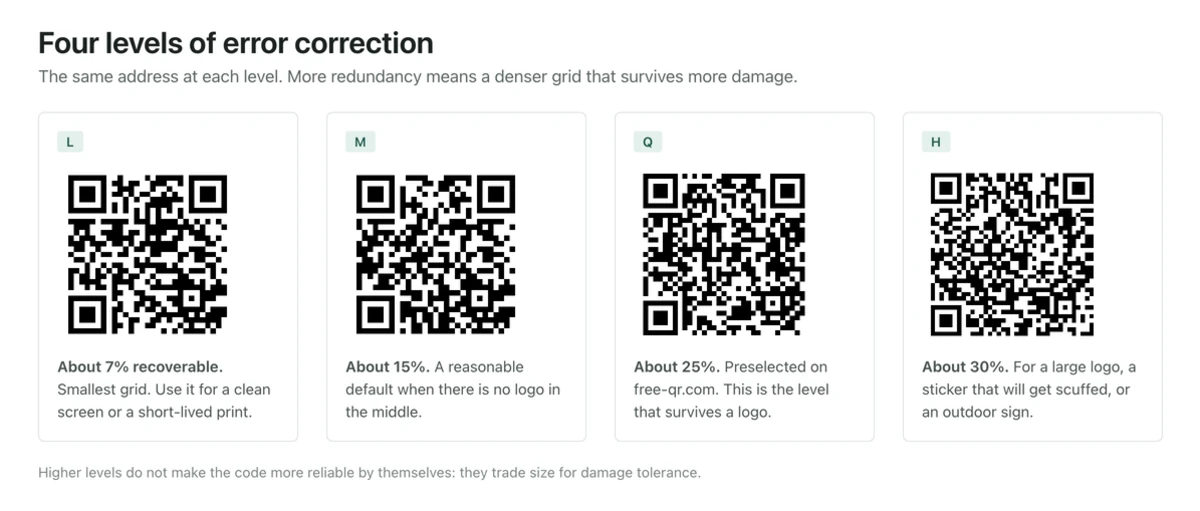
Every QR code carries redundant data using Reed-Solomon coding, the same family of math used on compact discs. Some modules are not your text at all; they are check symbols that let a decoder rebuild the parts it could not see. You choose how much of the grid gets spent on this.
| Level | Roughly how much damage it survives | Where it makes sense |
|---|---|---|
| L | About 7 percent of the grid | Clean screens, large prints, very long payloads |
| M | About 15 percent | General print on good paper |
| Q | About 25 percent | Codes with a center logo, or anything outdoors |
| H | About 30 percent | Labels that get scuffed, curved, or wet |
Higher protection costs capacity, so the same text at level H needs a denser grid than at level L. Our QR code generator preselects Q, the level that lets you drop a logo in the middle without the code quietly becoming unreliable.
How much text fits
At the largest version with the lightest error correction, a QR code holds up to 4296 alphanumeric characters. Almost nobody reaches that. The practical limit is physical: every extra character means more modules, and more modules in the same printed square means each one is smaller, until ink spread and camera focus start eating them.
Keep the payload short and let the printed size be generous. A rough guide for print is scan distance divided by ten, so a code read from two meters wants to be around 20 cm across. Below about 2 cm, nothing reliable happens at arm’s length.
Why the payload is nearly always a link
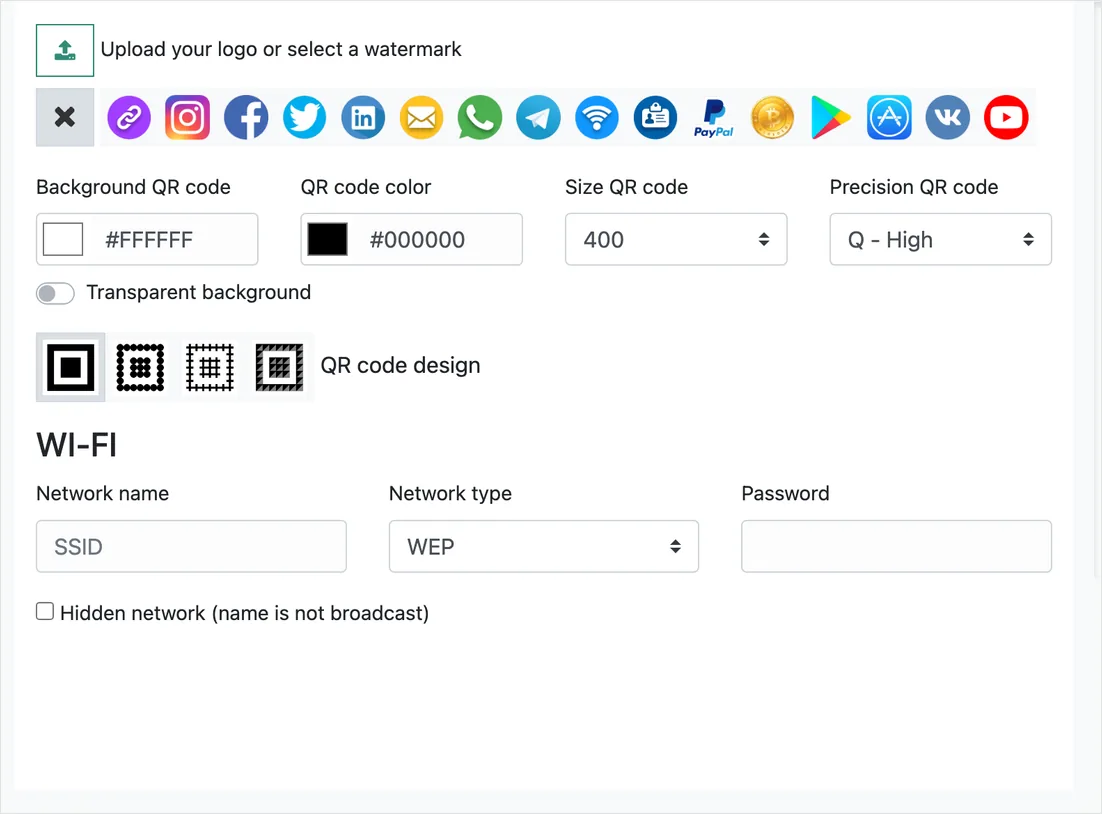
A link is short, and it moves the real content off the paper onto a page you can change. It is also the one payload every phone handles. Other formats exist and are genuinely useful: a Wi-Fi code carries a network name, security type, and password so a guest joins without typing anything, a vCard code carries a contact record, and a plain text code carries a serial number or a short message that needs no internet at all.
What the phone does between the camera and the browser
The camera app looks for finder patterns in every frame. When it locks on, it decodes the string and shows it to you, usually as a banner over the code. Nothing has been opened yet. You tap, and the operating system reads the scheme at the front of the string and hands it to whatever owns that scheme: http and https to your default browser, WIFI to the network settings sheet, tel to the dialer, mailto to mail.
iPhones have read codes straight from the Camera app since iOS 11, and Android since Android 9, with Google Lens covering older handsets. No separate reader app is needed on either.
Codes that hold their data, and codes that forward
This distinction matters more than anything else about QR codes, and it is invisible in the picture.
A static code contains the final destination. Scan it and the phone goes straight there. Nothing sits in the middle, nothing can expire, and no one counts the scan. The tradeoff is that the destination is set in ink. Change your mind and you print again.
A dynamic code contains a short address belonging to a redirect service. The phone opens that, the service looks up where it currently points, and sends the visitor on. You can change the destination later and you get scan counts, at the cost of depending on that service staying alive. If the link is disabled, every printed copy becomes a dead end. Choose between our static URL codes and editable dynamic codes with that in mind, and keep the ID and password the site shows once, because a dynamic code cannot be edited without them.
What a QR code is not
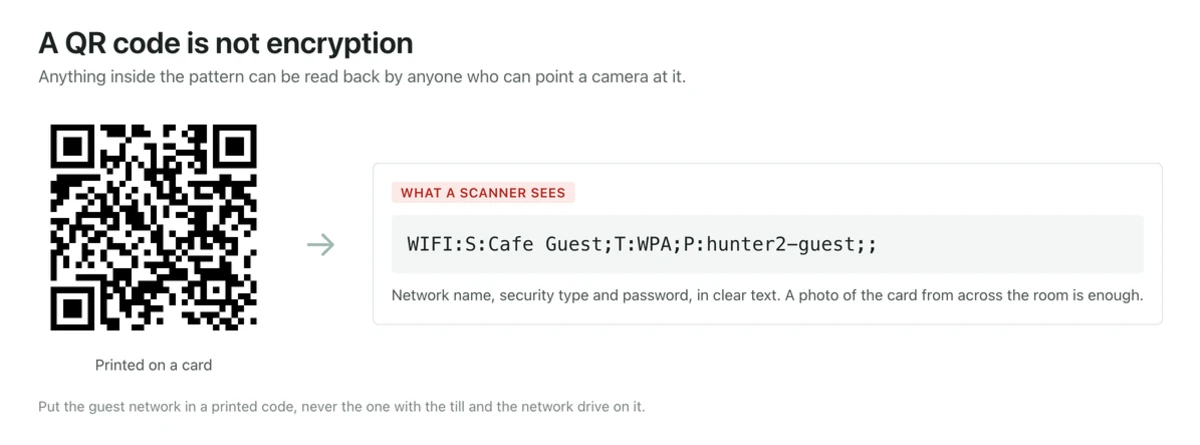
It is not encrypted. It is not scrambled. It is a public encoding that any free reader can turn back into the original text in a fraction of a second, with no key and no permission. The speckle looks like ciphertext to a human eye, and that is the whole source of the confusion.
So nothing private belongs inside one. No passwords that matter, no account numbers, no personal records, no one-time codes. A Wi-Fi code is the honest edge case: it does contain your password in readable form, which is fine for a guest network on a card in your own cafe and a bad idea for your home network in a photo you post publicly. Anyone who gets the picture gets everything in it.
Trust runs the other way too. A QR code cannot tell you where it leads until you decode it, and a sticker costs nothing to print and slap over a real one on a parking meter. Read the address on the banner before you tap, and be suspicious of any code that leads to an unexpected payment form.
When a code does not scan, and how to tell why
The symptoms are fairly specific. If the camera sits there doing nothing, the code is usually too small for the distance, the quiet zone has been cropped, or the print is light on dark. Most decoders expect dark modules on a light background, and inverted codes are a coin flip.
If the banner flickers on and off, the code is at the edge of readable: back off a few centimeters so the whole code plus its margin is in frame, then let the camera focus. If it scans on one phone and never on another, suspect low contrast, a colored code with too little difference between foreground and background, or an oversized center logo.
If it scans fine and opens the wrong thing, the payload is wrong, which is a generation problem rather than a printing one. After you generate a code here, the site decodes it back in your own browser to confirm it reads.
Questions people ask about QR codes
Do QR codes expire?
A static code has nothing to expire. The text is in the paper and will still decode in thirty years. What expires is the page it points at, or, for a dynamic code, the redirect service in the middle. Static codes made here carry no expiry and no scan limit.
Can a QR code contain a virus?
Not by itself. It holds text, and text cannot execute. The risk is entirely in what the text points at, exactly as with a link in an email.
Can someone tell I scanned a code?
Not from the code. Scanning is local to your phone. The moment you open the link, the website at the far end sees a visit like any other, and a dynamic code counts it at the redirect as well.
Does a QR code work without internet?
Scanning always works offline, because the decoding happens on the phone. Whether anything useful follows depends on the payload: text, Wi-Fi, and contact codes are complete on their own, while a link needs a connection.
What is the difference between a QR code and a barcode?
A supermarket barcode stores about a dozen digits in one direction and has to be scanned roughly square on. A QR code stores in two directions, which is what gets it to thousands of characters, and it carries its own orientation markers and error correction, so it reads at an angle and survives damage. The guide to generating a QR code picks up from here.


Comments are closed.