Venmo QR Code: Share It, Print It, Scan It Safely
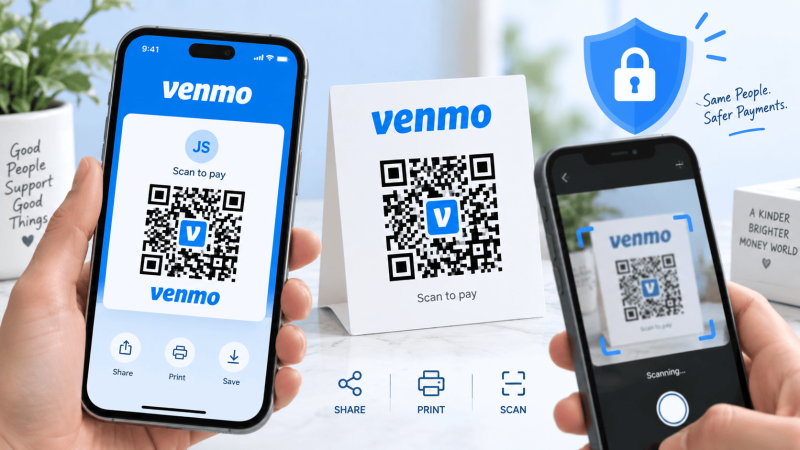
You are at a market stall, a gig, or a barbershop chair, and somebody wants to pay you without typing a username into a phone while a line builds behind them. A Venmo QR code handles this, one per profile, and it lives inside the app. The part people get wrong is which code they are showing and what the person scanning it actually ends up looking at.
The short answer
Your personal Venmo code sits behind the scan button in the app, the screen that shows your own code on one side and the camera scanner on the other. Somebody scans it with their Venmo app, lands on your profile, and the pay and request buttons are right there. No amount is attached to the code. Nothing is charged by the scan itself. They still type the number and hit pay.
Venmo moves that button between releases, so rather than quote a menu path that will be wrong by spring: look for the small square scan icon on the home screen, usually near the search field or along the top bar. The screen it opens has two halves, your code and the scanner, and you switch between them with a tab or a toggle.
How somebody pays you by scanning
- They open Venmo, tap the same scan icon, and point the camera at your code.
- Venmo opens your profile. The display name, photo and @handle are on screen.
- They enter the amount and a note, pick a funding source, and send.
The money arrives in your Venmo balance. Getting it to a bank account follows Venmo’s normal transfer options, the free standard one or the instant one that costs a percentage. A printed code changes none of that.
Printing the code for a stall or a tip jar
A screenshot of the code screen taped to a jar works for one afternoon and looks it. Two things go wrong with screenshots: the phone compresses them, and the app draws your code inside a colored card with rounded edges and text that eats the margin the code needs. Every QR code wants a clear border four modules wide around it, which is roughly the width of four of the little squares in the pattern. Crop into that and scanners start to hesitate.
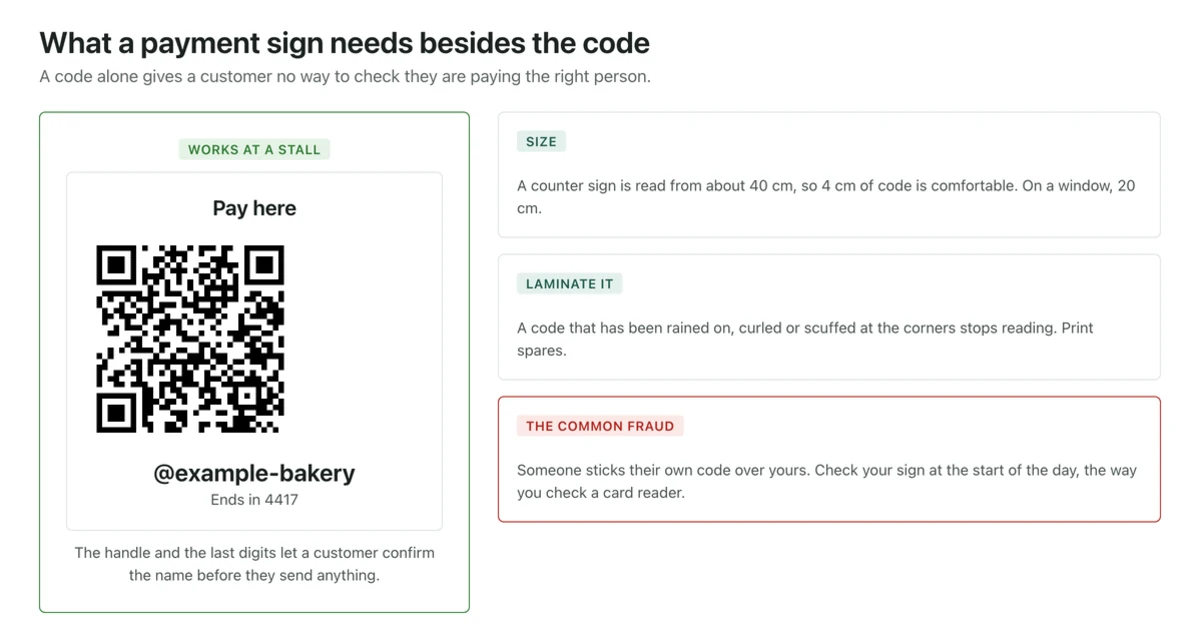
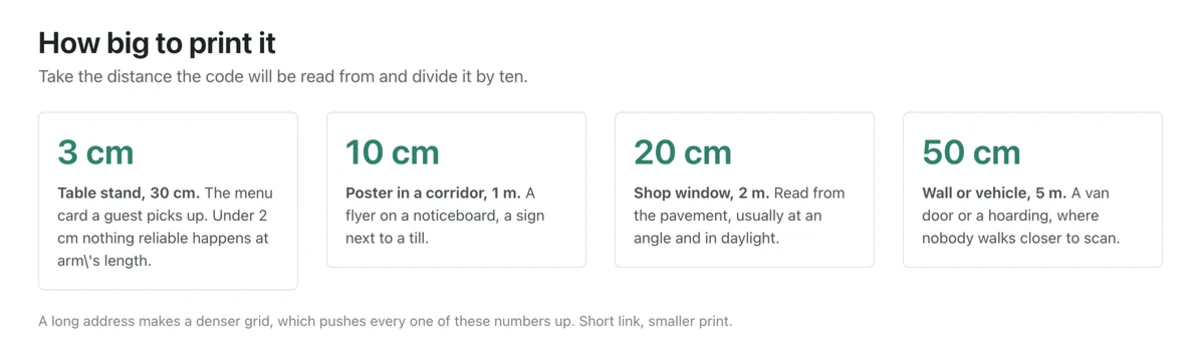
If you are printing anything bigger than a business card, save the code image from the app at the largest size it offers, or use the app’s share option to send yourself the file rather than screenshotting it. Then size it for the distance. The working rule is scan distance divided by ten: people lean in to about 40 to 60 cm at a counter, so 5 to 6 cm of code is comfortable, and a sign people read from two meters needs 20 cm. Under about 2 cm nothing reliable happens at arm’s length, whatever the printer claims. There is more of this in our notes on what to check before printing QR codes.
Keep it dark on light. A dark code on a white or pale background scans across the widest range of phones and light conditions. Inverted codes, light on dark, work on some scanners and not others, and a market in full sun is the wrong place to find out.
Personal code versus business profile code
A Venmo business profile is a second profile under the same login, aimed at people selling things. It has its own QR code. The differences that matter for a stall:
| Personal code | Business profile code | |
|---|---|---|
| What it is for | Paying friends, splitting bills, tips | Selling goods and services |
| Fee | None on a standard personal payment | Venmo takes a seller fee per payment, shown in the app |
| Purchase protection | Not covered | Payments are marked as purchases and covered by Venmo’s terms |
| Visibility | Your personal profile | Business name, category and a listing customers can find |
| Bookkeeping | Mixed in with personal activity | Separate, which is what an accountant wants at year end |
Running a real business through the personal code to dodge the fee is a common shortcut and a bad one. Venmo’s user agreement puts business payments on business profiles, the payments arrive with no purchase protection for the buyer, and the tax paperwork gets messy once volume climbs. Check the current fee rate in the app before deciding, since Venmo has changed it more than once.
Scanning without the Venmo app: iPhone and Android
Customers do not always have Venmo installed, and the code on your sign will get pointed at by a plain camera.
iPhone
The Camera app has read QR codes since iOS 11. Point it, wait for the banner at the top of the screen, tap it. If Venmo is installed the banner opens the app. If it is not, Safari opens the venmo.com page instead, which is a sign-in or install prompt rather than a payment. If a friend sends you a screenshot of their code, open it in Photos and hold a finger on the code: Live Text in iOS 15 and later reads codes inside saved images, no extra app.
Android
Android 9 and later reads codes from the stock camera, though on some Samsung and Xiaomi builds the feature sits behind a setting in the camera app rather than being on by default. On anything older, Google Lens does the job, either from the Lens app or the Lens button in the Google app. For a code inside a screenshot, open the image in Google Photos and tap the Lens icon.
Check the handle before you pay, not after
This is the part worth reading twice, because it goes the other way: you scanning somebody else’s printed code.
Printed codes on tables, parking meters, flyers and stall signs get covered with a sticker. It takes two seconds, the sticker costs nothing, and the code underneath is somebody else’s account. The stall owner does not notice because nobody complains about a payment that went through. Venmo payments to another person are not reversible the way a card chargeback is, which is exactly why this scam keeps running.
Before you confirm anything:
- Read the display name and the @handle on the profile that opens, and compare them with the name on the sign or the person in front of you. Ask them to say their handle out loud.
- Look at the last four digits Venmo shows for the recipient where it displays them, and ask the seller to confirm them.
- Run a finger over the printed code. A sticker laid over another sticker has an edge you can feel.
- Treat a code with no surrounding branding, no name and no price as a reason to type the handle by hand instead.
If you are the seller, laminate the sign or print it onto the card stock itself rather than taping on a loose square, and glance at it during the day.
What you can and cannot generate here
Say it plainly: our generator cannot build a Venmo payment code. The codes Venmo shows in the app carry payment metadata Venmo issues and validates, and no third party can create one that works.
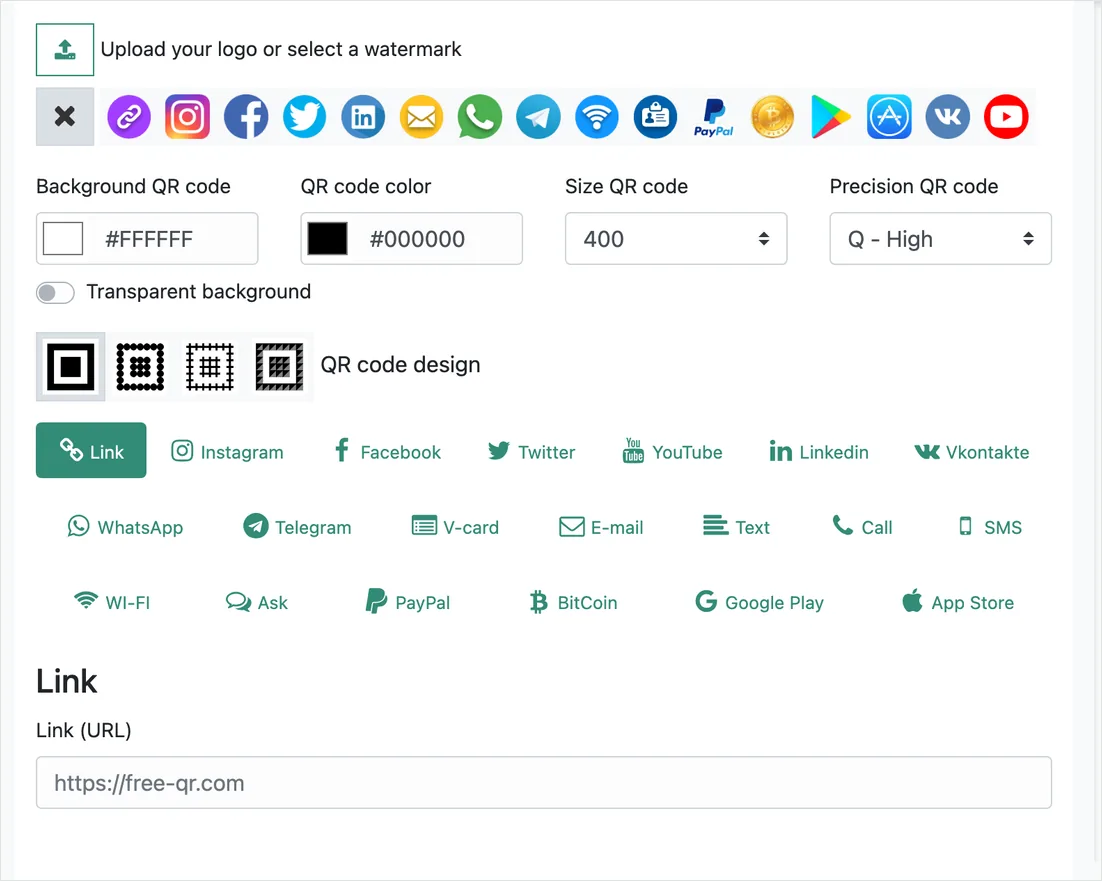
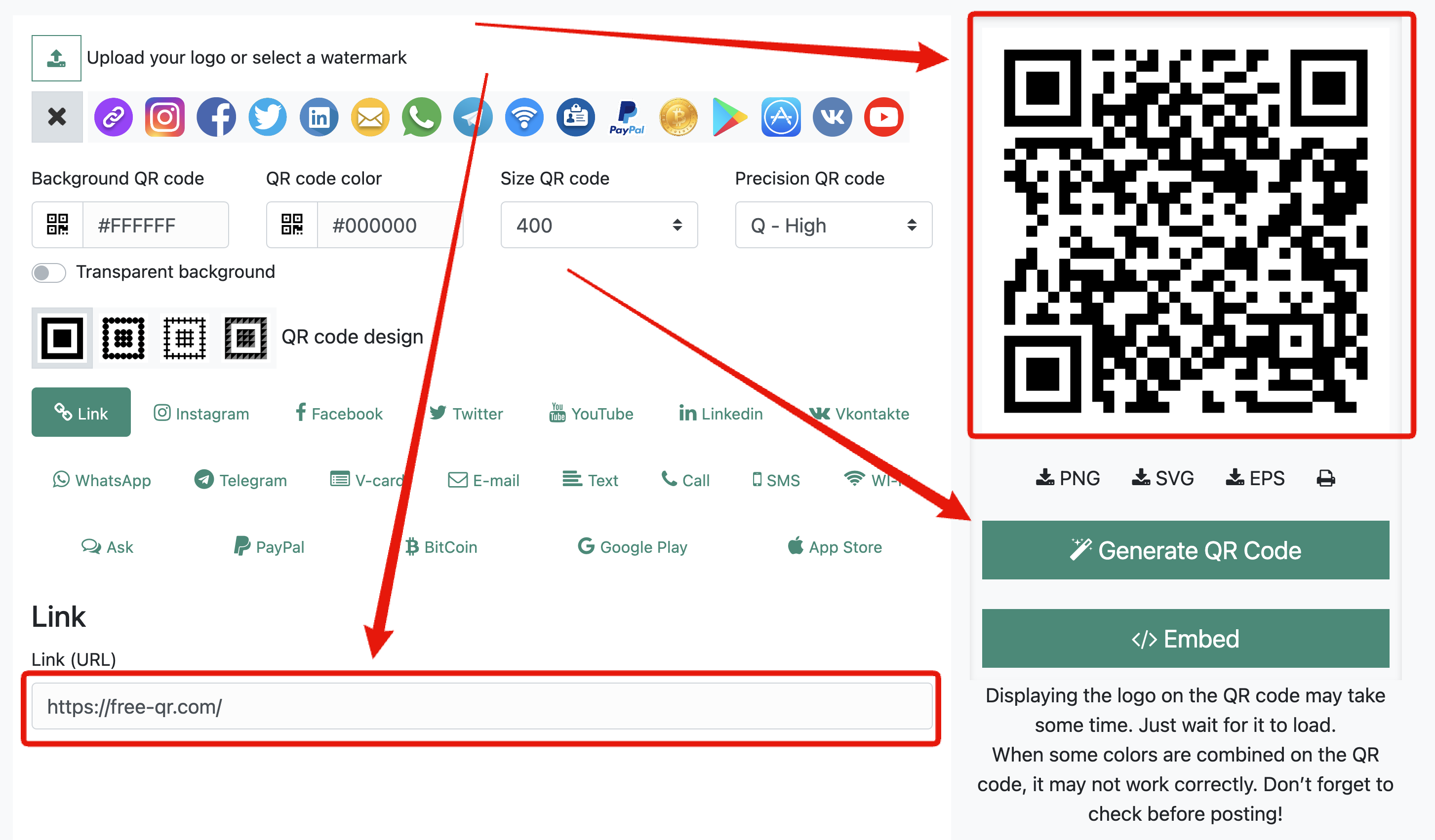
What it can do is turn your public Venmo profile link, the venmo.com address for your handle, into a printable code that looks like your sign rather than like a screenshot. Paste that link into the QR code generator, set your colors, drop your logo in the middle, and download it as SVG or EPS so the printer gets vector artwork that stays sharp at any size. That is a static URL code, free, with no account, no watermark and no expiry. The whole job takes about a minute.
Be honest with yourself about what that code does when someone scans it. It opens your profile page, not a prefilled payment screen. For a tip jar or a stall sign next to a printed handle, that is fine. For a code that has to put an exact amount in front of a customer, use the code Venmo generates in the app. Vector output matters more than people expect once a sign gets enlarged, and the file format comparison explains which one your print shop actually wants.
Things people ask
Does my Venmo code change?
It stays tied to your profile. Change your username and the old printed code can stop resolving to you, so reprint the sign if you rename the account.
Can somebody take money from me by scanning my code?
No. Scanning opens your profile, where the other person can pay you or send you a request. A request is not a charge. You approve or ignore it.
Is it safe to post my Venmo code publicly?
It is as public as your profile. Anyone can send you a payment request or a message, and scammers do fish that way, so turn your transaction feed to private in Venmo’s privacy settings before you put the code on a poster.
Why does the code work for my friend and not for a customer?
Almost always because the customer has no Venmo account. The scan lands them on a sign-in wall. Print your handle in readable text under the code so they can pay another way or type it manually.
Can I track how many people scanned my printed sign?
Not with a code that points at Venmo directly, and for a payment sign that is the right answer. Counting scans would mean routing people through a redirect on another domain first, which is exactly the shape a fake payment code takes, so a customer would have no way to tell your sign from a scam sticker. Count the money instead: the transaction list in the app tells you what actually happened, which is the number that matters at a stall.




Comments are closed.